Showing posts with label Developing Community. Show all posts

Sunday, July 5, 2015

8 Ways to Build Community Using Twitter

Did you know that Twitter can help build community in higher education settings?

While we tend to think about using Twitter  - also known as microblogging - to develop an online community or a professional development community, Twitter can also be used to build online community in higher education.

With Twitter we do not just have conversations, but our conversations are tweeted and retweeted, bringing perfect strangers into the discussion, while allowing others to remain silent, simply "listening" and lurking in the background. While some higher education institutions have been early adapters and use Twitter easily, others either have not entered the Twitterverse or are floundering in their usage.

A earlier blog post explored the importance of institutions using technology to build community to increase student success and persistence, but basically...institutions and staff can use Twitter in their technology toolkit to help attract students and retain them, and faculty can use Twitter to engage them in classes while helping them build community and increase their commitment to the class.

Why use Twitter?

In this time of decreasing budget and increasing needs, a free tech tool is ideal, and Twitter is free.  Faulty and staff simply need training in how and why to use it.

According to Pew Research Center, 23% of online adults use Twitter, an increase from 16% in 2012. Moore (2013) reports Twitter claims 200 million users send over 400 million tweets daily, with nearly 60% of tweets sent from mobile devices. (Imagine an institution with online programs reaching out to 200 million possible students.) Note that these numbers do not include those Twitter members who follow (AKA lurk) but never tweet. Those Twitter members are reading tweets, just not tweeting on their own...but they are reading those tweets.

Baer (2015) suggests
"49% of monthly Twitter users follow brands or companies, compared to just 16% of social network users overall. Put another way, Twitter users are 3 times more likely to follow brands than Facebook users. Combined with their above average income and above average education, Twitter users’ propensity to interact with brands make them a huge potential source for Mass Influencers."

Institutions certainly have brands to be followed....and those with above average education may need advanced degrees or have children who need associates and bachelor's degrees. Sounds like a perfect match!

Further Twitter demographics (Apuzzo, 2015) report 18-29 year-olds comprise 35% of Twitter users, with 20% of Twitter users being 30-48 year-olds, 11% are 50-64 olds, and 5% are over the age of 65.

So, now that we know how many Twitter followers are out there, how can we use Twitter effectively to build community in higher education?

 Institutional use of Twitter to build community

#1. Develop an institutional personality and voice. Rather than thinking of Twitter as a marketing tool, try using it build community.  This building of community helps to build your institution's brand. Twitter is about conversations, so spend time developing a conversation with your followers. Follow your followers, and provide content. This content, however, should not be, "Look how great we are here at ABC University," but more about how to be successful in college, or how to locate scholarships. Twitter is not about recruiting, per se, it is about conversing.  Once followers become comfortable with an institution's personality, they may apply.  They also may not. But, in the meantime, the institution is developing an institutional community of engaged followers.


When institutions need to make announcements about campus evens or deadlines, they should use a separate Twitter account, one entitled ABC University News.  This separates the news from the content.

Institutions need several accounts - one for admissions, for financial aid, for athletics, for student development, for each program. Keep the main account for building conversation and voice and the others for more specific announcements.

Following those who follow the institution is vital to developing a community and the institution's personality, so urging all of the institution's Twitter accounts to follow back and engage with their followers is very important.

On to faculty - who can continue to engage students while both in and outside of class.


Using Twitter in the higher ed classroom 

#2. Course housekeeping. A way to ease into using Twitter involves handling issues related to course housekeeping. Faculty can set up a class hashtag to tweet class reminders and retweet tweets with class-related information and campus activities. To re-emphasize the first tip....faculty need to develop a twitter personality as they begin to form their own class communities.

#3. Book and course content-related discussions. Now, to get into the fun aspects of using Twitter! Faculty tweeting a question about a course reading can engage students not only in the course material, but as students respond to one another's tweets, they start forging interpersonal networks. With a faculty nudge, students can form study groups and organize service learning opportunities, creating a culture of engagement. These interactions have been linked to increased levels of student engagement, resulting in the development of a strong learning community (Evans, 2014; Junco, Heibergert, & Loken, 2011).

I require my students to set up a Twitter account and post reflections on their readings, sharing  videos, articles, and blog posts...all while commenting upon each others' posts...and using a class hashtag. Because my students will eventually become community college administrators, this assignment has several purposes: they share content with others, they begin developing their own professional network, and they see, first hand, how Twitter can be used in their jobs. Since my courses are all fully online, encouraging students to network with one another and to engage with the content is a very important part of community building. Sometimes those outside of our course interact with students, further emphasizing the importance of their work.

#4. Specific Twitter account for each course. Those concerned about privacy can still integrate Twitter to add community to their courses: faculty will just need to set up a specific Twitter account for each class, then check the account's setting to ensure the twitter profile is set at "Protect my Tweets." Protected Tweets are only visible to one's approved Twitter followers, allowing faculty and students to maintain some control over their tweets' visibility, fostering a level of professionalism, while allowing students to network and engage. Unfortunately, this involves using multiple email accounts, but consider the benefits of separate Twitter accounts as opposed to separate hashtags.

#5. Live Twitter chats during lectures. How about encouraging students to tweet while in class? Faculty who teach face-to-face classes might want to try displaying live Twitter chats during lectures. As students tweet their questions,  a live stream appears on a screen, encouraging students to pay attention to the questions AND to the discussion. Students tend to feel more of a part of the discussion, increasing their engagement with the material and with each other.

#6. Professional development. Encourage students to develop their own professional network on Twitter, using it for professional development. Teach them how to locate the hashtags associated with both class topics and their career as well as conferences in their field. They can identify known professionals in their field, follow them, and interact.

#7. Office hours. One task I am going to try next semester is offering Twitter office hours. Using a course hashtag combined with my twitter name, students will have to keep their posts to less than 140 characters, requiring they be succinct in posing their questions. My thought is twitter-based office hours would encourage students to ask a question without the encumbrance of logging into university email or our LMS to send a message.  They can tweet directly from their phone or office computer, hopefully making the process quicker and easier. Their questions - and my responses - will also be available for their classmates to review.... a different type of "water cooler." Any way to foster engagement and community in an online course!

#8. Posting course materials. Scheduling tweets is easy with a variety of free programs (HootSuite, SocialOomph, TweetDeck, and Buffer, for example), so why not schedule tweets providing links to course content? Videos, websites, even articles can be shared this way, so establish a time frame for your students and post away!  Organizing tweets to where they appear at a specific time keeps you from clogging up your students' accounts, decreasing the likelihood of them overlooking something important.....while keeping them engaged.

Challenges of Tweeting

We now have some ideas of how to use Twitter to build community, but what else should we consider?

1. Institutions need designated employees to tweet for their various departments and entities, and the choice of personnel needs to entail writing skills, authenticity, and creativity, as well as technology skills. while tempting to give such a job to a grad student worker, the idea of developing a consistent Institutional Voice is too important to assign to a position that may change every year. The key here is consistency in developing the voice.

2. Twitter - as with all social media - can be distracting, so care needs to be taken to integrate it into courses. Faculty need to be certain that Twitter is enhancing community and engagement, not detracting from it.

3. While Twitter is a great way for students and faculty to connect, users can open themselves up to harassment.  Faculty incorporating Twitter and other social media into their courses need to be aware of the pitfalls and be ready to intervene  with minor incidents.  Training students in proper nettiquette is a must as is instilling the importance of respectful behavior.

4. Teach students about their digital footprint. Remind them that they are responsible for what they tweet...and what they tweet can - if one does not think through the ramifications of a tweet - land them in hot water.   A case in point is detailed here: How One Stupd Tweet Blew Up Justine Sacco's Life.  Whether or not you agree that what happened to her after her tweet should have happened is not the issue - the isue is that she did not think before she tweeted..... and another: 10 People Who Lost Their jobs over Social Media Mistakes.... and 13 People Who Got Fired for Tweeting.


 5. Issues regarding confidentiality and boundaries may surface when using social media. Faculty need to consider their own boundaries as well as those of their students to determine - ahead of time - how to handle such issues, laying our guidelines. Students can use pseudonyms and avatars instead of posting personal information, and twitter accounts have various privacy levels to adjust. Being aware of these concerns allows faculty to prepare for them.


It's not - or shouldn't be - about the technology.   This should be about learning.  Using Twitter because it's new and interesting  is not the purpose.   The purpose should be to enhance learning, engagement, and community. Twitter should not substitute for teaching.


References

Apuzzo, R. (2015). Social media user statistics and age demographics for 2014. retrieved June 5, 2015.
 
Baer, J. (2015). 7 surprising statistics about Twitter in America.  Retrieved June 5, 2015.

Evans, C. (2014).  Twitter for teaching: Can social media be used to enhance the process of learning? British Journal of Educational Technology, 45(5), 902-915.

Junco, R., Heibergert, G., & Loken,E. (2011).  The effect of Twitter on college student engagement and grades. Journal of Computer Assisted Learning, 27, 199-132.

Moore, H. (September 12, 2013). Twitter heads for stock market debut by filing for IPO. The Guardian. Retrieved June 5, 2015.

Pew Research Center. (n.d.). Social networking fact sheet. Retrieved June 5, 2015.

Tuesday, June 2, 2015

Using Facebook to build community

Facebook?  In higher ed? How - and why - should faculty and institutions use Facebook?

Facebook is just one of many techniques we can use to create a community, whether in a traditional, F2F classroom, an online classroom, or at the institutional level. [See the previous post for an explanation of community and its importance to the higher education institution and in the classroom.]

Facebook is free (I am all for free!), and most of our students already know how to use and have their own Facebook account. In fact, according to the Pew Research Center, 71% of all online American adults use Facebook, including 87% of 18-29 year-olds and 73% of 30-49 year-olds.

 So, how do we as faculty and as institutions make use of this technology - and why should we?

Institutional use of Facebook


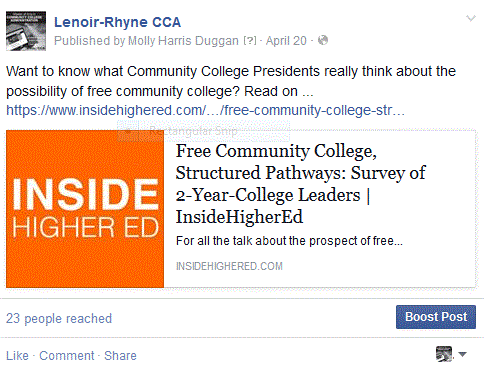
Institutional commitment. University and program-sponsored Facebook pages tend to foster community and commitment. Student registration at a university's Facebook site has been shown to influence student post-registration social networks, helping new students to make friends and keep in touch with family at home (Madge, et al, 2009). Facebook has even been used to help PhD students adjust to their doctoral program and new culture by encouraging knowledge exchange, nurturing socialization, and building community among students (Ryan, 2011). Facebook can help build school pride as well - and school pride and institutional commitment go hand-in-hand. Lenoir-Rhyne University updates Facebook during games (see left).

 College choice. Institutional use of Facebook even impacts college choice. Tucciarone (2009) found that students  doing their college selection research often look for links from university websites to university-sponsored Facebook pages, using this as a point in their decision-making. Facebook can be a great place to post virtual tours as well. Stanford's Facebook page houses Summertime at the Farm: A Walking Tour to show off its 8,000+ acre campus. Services such as Yourcampus360 will even create a virtual campus tour to be used on Facebook or on University websites.

Keeping in touch with current students and alumni.  Facebook ages can share useful information with current students (see Arizona State University o the left). Connecting with alumni for reunions and fundraising is easier using Facebook and other social media (Bennet, 2010; Halligan, 2010), allowing alumni to interact and even plan events. The College of William and Mary has an Alumni page with a variety of alumni events, shown to the right.

Department, unit, and program pages are also useful ways to engage prospective and current students.  Click here to see a very successful Trinity College of Music's Library Facebook page.

Resident Advisor and resident connections. I remember living in a dorm with an RA..... and around 50 other first-year females. Imagine if we had had Facebook then! Kacvinski and Moreno (2014) suggest RAs using Facebook to identify college students at risk for academic issues, depression or  problem drinking. This could then lead to in-person discussions to address any issues. 

 Faculty use of Facebook

I'll begin with how I use Facebook.

 I teach graduate level students in a fully online Community College Administration program, and one of the first assignments in each course is to join our program Facebook page.  Now, it's not that I don't  want to be "friends" with my students, but I feel the need to set some professional boundaries, so I have created a Facebook program page where students make their posts. They simply have to "like" the page to join, and I serve as administrator.  They cannot see my personal posts as I have set the privacy level for my account to where someone has to be on my friend list to see my posts..... so students only have access to what is posted on our program FB page.... and, of course students are free to "friend" each other...and often do.

Some courses require students to make a specified number of posts on the program page, linking to specific topic-related articles, blog posts, videos, and such, making a substantive comment that draws folks in  to to read their posts. They are also required to respond to each others' posts, sometimes sharing additional articles or videos for the other students to view in response. The post to the left shows a link one student provided to an article on Cultivating town and gown Relationships. NOTE: Student identity removed.

I also post to the program Facebook page providing links to free webinars on program-related topics and program announcements, including links to course syllabi, photos, recruitment event announcements, and infographics for upcoming courses.
 
In still other classes, posting on Facebook is an optional assignment, yet is seems to be one that students often choose. They post links to events  at their community colleges as well as promotional articles about their work.

Some classes have a blogging component, and I will - with student permission - post links to some of their posts but always after obtaining their permission first.

Other assignments may have students critiquing and discussing articles with one another, and a future assignment has them exploring the various ways THEY can use Facebook in their current community college positions.

Course Facebook pages. Joosten's Social Media for Educators suggests creating separate Facebook pages for each course to post announcements, news, and course updates. Others have experimented with using a closed Facebook group page as a Learning Management System. Although Facebook can only post links to webpages, photos, and videos, using a resource such as google docs would allow faculty to share readings, and even group documents through Facebook (Wang, Woo, Quek, Yang, & Liu, 2012).

Asynchronous discussion forums. Dyson et al. (2014) suggest posting a contemporary news story related to the week's topic urging students to read the material, comment, ask questions, and discuss prior to the week's lecture. During class time, they review the materials with the students to establish real-world relevance of the topic being introduced.  In this way students discuss the material outside of class before the in-class discussion. Using Facebook brings the content to the students rather than the students having to come to the content hosted in a learning managements system.

Facebook study groups. Students can also form their own study groups through Facebook, using this as a small group discussion, project planning, information exchange opportunity (Gray, Annabell, & Kennedy, 2010).

Professional Resources on Facebook. Many professional groups have Facebook pages just a click away from your students. Locating these for your students - or having them locate organizations, join their pages, and perhaps write a review of those pages would help students not only to begin developing professional networks, but to access a wealth of information outside of the classroom. Check out the following resources available through Facebook: American Association of Community Colleges, Reading Rockets,  National Council of Teachers of English, and the American Counseling Association.

Points to Consider


 Do I "friend"?  That is truly up to you and your comfort level. I have chosen not to friend my students until they graduate, mainly to allow us some separation in our personal lives.  Years ago I accepted a friend request from a student  after repeated attempts on the student's part to ask me to "friend" him. He missed class one night, emailing to say he was not feeling well. Later that day, a series of photos of him on his ski vacation appeared, all date stamped for that day....There are some things I just don't want  or need to know. If you are comfortable having a student as a "friend," then do it. Otherwise.....

How much should I share?  How much of your personal life do you really want to share? This is a question to consider whether you want to "friend" your students or not. When I first started using Facebook in 2008, we were told as faculty to have two separate accounts - one that was personal and one that was professional. Well, that is just too much work for me. Instead, I use my privacy settings and be sure that only my friends can see my posts...and I am still careful as to what I post because of my digital footprint. If you decide to "friend" your students, consider carefully what you post...just how much you want your students to know about you and how much you want to know about your students.

What is a digital footprint and why is it important? A digital footprint is data that users leave behind on digital services.  There are two main classifications for digital footprints: passive and active. A passive digital footprint is created when data is collected without the owner knowing, whereas active digital footprints are created when a user deliberately releases personal data for the purpose of sharing information about oneself by means of websites or social media. Click HERE to watch a  video I created for my students regarding digital footprints and job world.

What about privacy for my students? Along with your privacy concerns,  we need to be aware of our students' privacy needs. Will you set up a Public, Closed, or a Secret group Facebook page? The graphic to the right gives an overview of the three settings., but a much more detailed comparison is available through the Facebook Help Center. Your choice may depend upon the content matter. Students in a counseling program, for instance, may need the secret setting due to confidentiality requirements established by CACREP accreditation.  My program group page is fully open, and people I do not know have joined it. This way the group page can serve as a marketing tool, but it also allows students to practice thinking about how to be a higher education administrator in a digital world as they deal with issues of privacy and ethics in their own posts. A closed group might be a good in-between choice. If you post photos of students, ask their permission before tagging them in those photos as those tagged photos will then appear on their individual Facebook pages and in their feed as well as on your group page. If you want to share a link to a video, blog, or article they have written - obtain their permission first.

Tying it all together

Facebook is a free social networking tool being used by 71% of all online American adults. Higher education institutions can use Facebook to foster institutional community and classroom community. University-based Facebook pages can impact college choice along with increasing institutional commitment. Pages can provide information and serve as  support for students as well as alumni.

Faculty can use Facebook within their classroom from simple postings to serving as their course LMS. Pages can be designed for programs, individual classes, and even study groups with a variety of privacy levels available. Student interaction can be as little as "liking" a post or as much as presenting unit content.

There are some issues to be considered, including professionalism, privacy, and digital footprints. 

At this point, however, the positives outweigh the negatives, and negatives can be avoided with solid planning and preparation.  Do you see a place for Facebook at your institution? in your classroom?


References
Bennett, C. (2010). Cast a wider net for reunions. Currents, 36(7), 28-31.

Dyson, B., Vickers, K., Turtle, J., Cowan, S., &  Tassoe, A. (2014). Evaluating the use of Facebook to increase student engagement and understanding in lecture-based classes. Higher Education, 69, 303-313.

Gray, K., Annabell, L., & Kennedy, G. (2010). Medical students' use of Facebook to support learning: Insights from four case studies. Medical Teacher, 32, 971-976.

Halligan, T. (2010). The social media evaluation: Online tools drive opportunities for alumni outreach, fundraising. Community College Journal 80(4), 30-33.

Joosten, T. (2012). Social media for educators: Strategies and best practices.  San Francisco: Jossey- Bass.

Kacvinski, L., & Moreno, M.  (2014). Facebook use between college resident advisors and their residents: A mixed methods approach. College Student Journal, 48(1), 16-22.

Madge, C., Meek, J., Wellens, J, & Hooley, T. (2009). Facebook - social integration and informal learning at university: It is more for socializing and talking to friends about work than for actually doing work. Learning, Media, and Technology, 34(2), 142-155.

Ryan, S. H.,  Magro, M. J.,  & Sharp, J. K. (2011). Exploring education and cultural adaptation through social networking sites. Journal of  Information Technology Education, 10, 1-16.

Tucciarone, K . M.  (2009). Speaking the same language: Information college seekers look for on a college website. College and University, 84(4), 22-31.

Wang, Q., Woo, H. L., Quek, C. L., Yang, Y., & Liu, M. (2012). Using the Facebook group as a learning management system: An exploratory study. British Journal of Educational Technology, 43(3), 428-438.